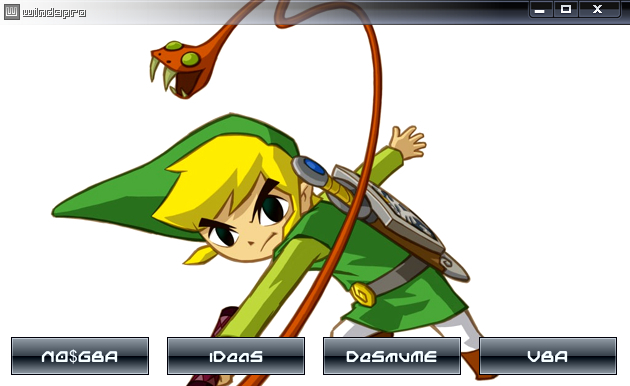
Here is the new WinDS Pro 2012.3.
I suppose everyone knows what is an emulator. It is a computer program that acts like a platform like NDS, GBA, SNES, NES, GC, N64, etc. There are even emulator of the arcade games we play on the "maquinitas".
The WinDS Pro is a program that contains many emulators of Nintendo DS (NDS), and of Gamboy Advance (GBA).
Here is the link:
WinDS Pro
But we also need the roms. The roms are like the game cards, or better said the games. You can't play a game with only the DS, you also need the game, in this case, the roms.
Here are some good places to download roms:
NDS roms
GBA roms
Here are the instructions. Install the WinDS Pro with the installer. Browse where you want to install it. Once it is done, go to download roms on the webpages by searching on the list or searching with the search box. Make sure they are of United States. When you have downloaded them, they will be in a zip. Extract them in a folder you remember where it is ("How to unzip" Coming soon). So now open the application called "windspro". It may be on your desktop or on the folder you installed WinDS Pro. An application with 4 menus will open. The first 3 has emulators of NDS and the last has of GBA. Open the one you want and it will ask you for a rom. Browse the folder you saved the roms and select the one you want. Be ready to play!
If you have some questions or problems feel free to ask on the comments.
Credits:
lainz, who uploaded this program.
Luis Alan Llanes, who told me about the WinDS Pro.
You may be put on the credits also. Just help me in uploading something, placing a video, a game, etc.
1 comments:
yo estoy en los creditos....
oh es en ingles????
iam in the credits.....iam iin the creedits
and u no
muahahaha
Post a Comment